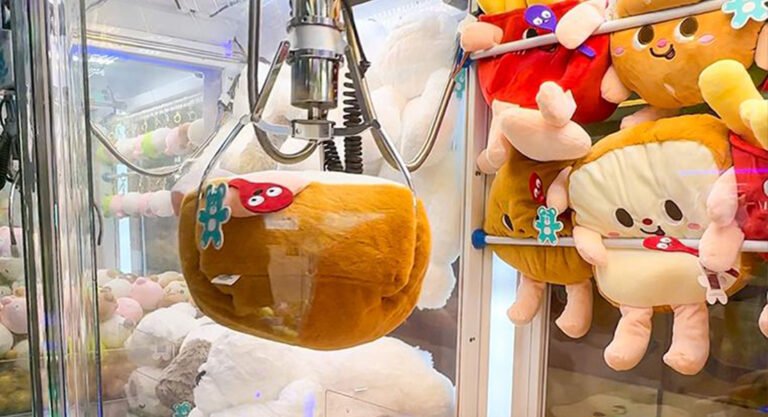
A claw machine may look simple from the outside, but it has several moving parts working together every day. Dust, frequent play, loose connections, and poorly arranged prizes can all affect how it operates.
For arcade operators, regular maintenance is not just about keeping a machine looking clean. It helps reduce unexpected downtime and keeps the player experience consistent.
Here are some practical things worth checking.
1. Keep the Glass and Prize Area Clean
Players judge a claw machine partly by what they see inside.
Fingerprints, dust, and dirty glass can make even a well-stocked machine look unattractive.
- Clean the exterior glass regularly with a suitable glass cleaner.
- Remove dust and debris from the prize area.
- Keep prizes neatly arranged and easy to see.
- Avoid spraying cleaning liquid directly onto electronic parts.
A clean prize display makes a better first impression and helps players see what they want to win.
2. Check the Claw Mechanism
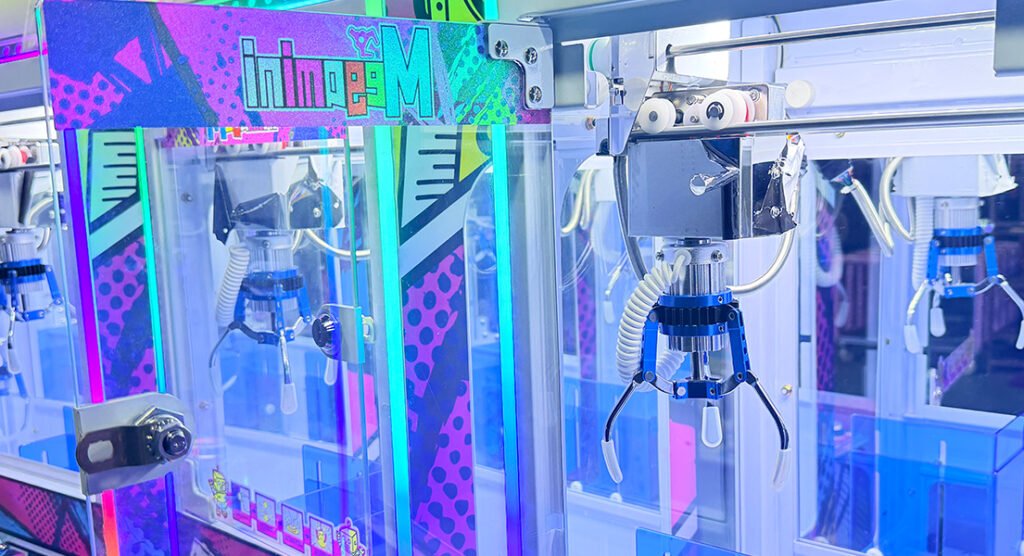
The claw is the most important moving part of the machine. If it does not open, close, or move smoothly, gameplay can be affected.
During routine checks:
- Look for visible damage or loose parts on the claw.
- Check whether the claw opens and closes properly.
- Watch for unusual noise or jerky movement.
- Make sure the claw cable is not tangled or visibly damaged.
If the claw gets stuck or moves unevenly, stop using the machine until the cause is identified. Do not force the mechanism to move.
Click to read:《Why Does a Claw Machine Drops Prizes Before Reaching the Prize Chute?》
3. Inspect the Moving Rails and Cables
The claw assembly moves along a rail system, so dust or foreign objects can interfere with its movement.
Check for:
- Dust or debris around the moving tracks.
- Loose or damaged cables.
- Unusual resistance when the claw moves.
- Signs of wear around moving components.
Only lubricate parts when recommended by the manufacturer. Using the wrong lubricant can attract dust or damage certain components.
4. Test the Joystick and Buttons
A player should be able to control the claw without struggling with unresponsive buttons or a loose joystick.
Test the controls regularly:
- Move the joystick in every direction.
- Check that each button responds correctly.
- Look for delayed or inconsistent input.
- Inspect visible wiring if a control stops working.
If the problem continues after basic checks, the control switch or wiring may need professional inspection.
5. Check the Lighting and Display
LED lighting helps attract players, especially in shopping malls and arcades where many machines compete for attention.
Check the LED strips, display, and illuminated signs for flickering, dark sections, or loose connections.
A lighting problem may be caused by a connector, power supply, or LED component. Avoid opening electrical sections unless you are qualified to do so.
6. Keep Prizes Suitable for the Machine
Prize selection affects more than appearance. Oversized, tangled, or poorly arranged plush toys can interfere with claw movement and make the game difficult to operate.
Before refilling the machine:
- Check that the prizes fit the cabinet.
- Avoid overfilling the prize area.
- Keep toys away from moving parts.
- Arrange prizes so they are visible and accessible.
For best results, follow the machine manufacturer’s recommended prize size and loading instructions.
A Simple Claw Machine Maintenance Checklist
| Maintenance Item | Suggested Frequency |
|---|---|
| Clean glass and exterior | Daily |
| Check prize arrangement | Daily |
| Test joystick and buttons | Daily |
| Observe claw movement | Daily |
| Inspect rails and visible cables | Weekly |
| Check LED lighting and display | Weekly |
| Arrange professional inspection | According to usage and manufacturer guidance |
The schedule above is a practical starting point. Machines in busy venues may need more frequent checks.
When Should You Contact a Technician?
Some issues are easy to spot, but not every problem should be fixed on-site by an operator.
Contact a qualified technician or the machine manufacturer if you notice:
- Repeated claw movement failures.
- Burning smells, overheating, or electrical faults.
- Repeated blown fuses or power interruptions.
- Damaged wiring or internal components.
- Problems that continue after basic troubleshooting.
Before requesting technical support, take a short video of the problem and prepare the machine model, serial number, and a description of when the issue occurs. This can make troubleshooting much easier.
Final Thoughts
A few minutes of checking each day can help prevent small problems from turning into longer interruptions.
Keep the machine clean, watch how the claw moves, check the controls, and pay attention to anything that sounds or looks unusual.
For arcade operators, good maintenance is part of running a reliable entertainment venue. And when a problem goes beyond routine care, getting the right technical support is always better than guessing.
JiSun supplies commercial claw machines and other amusement equipment for distributors, wholesalers, and entertainment operators. Contact our team for product information and technical support.