An arcade machine can look perfectly normal on the outside but still stop working when customers try to play. A coin may not register, the screen may stay black, or a claw may move without picking up a prize.
For arcade operators, these problems mean more than a machine being out of order. They can interrupt daily operations and affect the customer experience.
The good news is that some faults are caused by simple issues, such as loose connections, blocked coin paths, or incorrect settings. Before replacing parts, it is worth checking the problem step by step.
Here are some common arcade machine problems and practical ways to investigate them.
1. Arcade Machine Won't Turn On
Possible causes:
Power cable is loose or damaged
Main power switch is off
Fuse has blown
Internal power supply is faulty
What to check:
Start with the external power source. Make sure the outlet works and the power cable is firmly connected. Check whether the machine’s main switch is on.
Next, look at the machine’s power indicators, if available. If there is no power indication at all, the problem may be related to the power input, fuse, or internal power supply.
Do not repeatedly replace a fuse that keeps blowing. This may indicate a short circuit or another electrical fault. Stop using the machine and contact a qualified technician.
2. Coin Acceptor Does Not Recognize Coins
A coin acceptor that rejects valid coins or fails to add game credits is a common problem in coin-operated arcade machines.
Possible causes:
Dust or foreign objects inside the coin path
Incorrect coin settings
Loose signal or power connections
Damaged coin acceptor
What to check:
First, check whether the coin path is blocked. Remove any visible foreign objects according to the machine’s instructions.
Then confirm that the coin acceptor is configured for the correct coin or token type. If the machine has recently been moved or serviced, inspect the accessible connectors for loose connections after switching off and unplugging the machine.
If the acceptor still does not work, it may need cleaning, adjustment, or replacement.
3. Screen Is Black but the Machine Has Power
Sometimes the cabinet lights turn on, but the game screen shows nothing.
This does not necessarily mean the monitor is broken.
Possible causes:
Loose display cable
Display power connection problem
Game board not starting correctly
Faulty monitor or driver board
What to check:
Observe the machine during startup. Does it produce sound? Do the game lights respond? Does the screen show a startup logo before going black?
These details help narrow down the problem.
If the screen and game system have separate power connections, a technician can check them according to the wiring diagram. Avoid disconnecting internal cables while the machine is powered on.
If the display remains blank after checking the accessible connections, the game board, driver board, or monitor may require professional inspection.
4. Joystick or Buttons Do Not Respond
A game may start normally, but the joystick or buttons may fail to respond correctly.
Possible causes:
Loose wiring
Worn microswitches
Damaged joystick components
Faulty input connection on the control board
What to check:
If the machine has a diagnostic or input test mode, use it to test each button and joystick direction separately.
For example, if the joystick moves left, right, and down but not up, the problem may be limited to one switch or its connection.
If only one button fails, check that button’s wiring and switch rather than replacing the entire control panel.
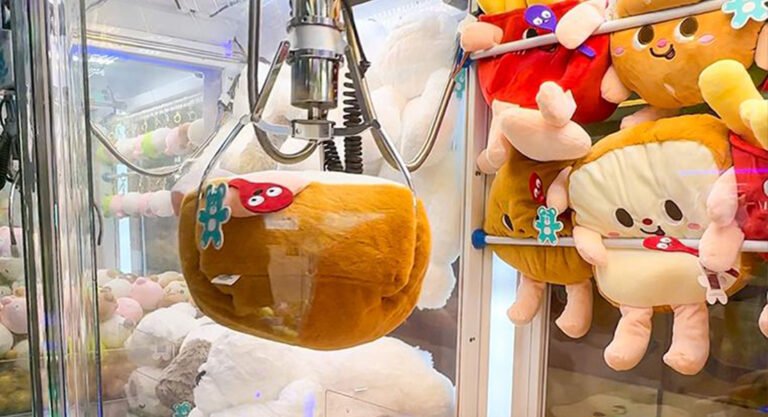
5. Claw Moves but Cannot Pick Up Prizes
This is one of the problems arcade claw machine operators ask about most often.
A claw may move normally but fail to grip or carry a prize.
Possible causes:
Claw grip settings are unsuitable
Prize size or weight is not appropriate
Claw mechanism is worn or obstructed
Power supply or wiring problem
What to check:
First, test the machine with a prize that matches the claw’s intended size and weight range. Oversized or unusually shaped prizes can be difficult to grip.
Next, check the claw settings through the operator menu, if available. Some machines allow operators to configure grip strength and other game parameters.
If the claw opens and closes irregularly, or its grip changes unexpectedly, the claw mechanism, wiring, or power supply may need inspection.
Do not assume every weak grip is a software setting problem. Mechanical and electrical faults should also be considered.
6. Machine Accepts Coins but the Game Does Not Start
This problem can be confusing because the coin acceptor appears to work.
However, accepting a coin and starting a game are two different functions.
Possible causes:
Credit signal not reaching the game board
Start button malfunction
Loose control-board connection
Incorrect game settings
What to check:
First, check whether the credit counter increases after inserting a coin.
If credits are added but the game does not start, test the Start button and check whether the game board receives the input signal.
If no credits are registered, investigate the coin acceptor and its signal connection instead.
Identifying exactly where the process stops is much more useful than replacing several components at once.
7. LED Lights or Cabinet Lighting Stop Working
LED lighting is an important part of many modern arcade machines. When some lights stop working, the machine may still operate normally.
Possible causes:
Loose LED connector
Damaged LED strip
Faulty LED driver
Power supply issue
What to check:
Observe whether all lights are off or only one section is affected.
If only one section stops working, the issue may be limited to that LED strip, connector, or driver output.
If all lighting fails at the same time, a shared power connection or LED driver may be involved.
Always disconnect the machine from power before inspecting internal lighting connections.
8. How to Reduce Arcade Machine Downtime
Most operators would rather prevent a problem than repair a machine after it stops working.
A few simple maintenance habits can help:
Clean the cabinet and accessible coin paths regularly.
Check power cables and external connections.
Keep the prize area free from objects that may block moving parts.
Test buttons, joysticks, and payment systems periodically.
Watch for unusual sounds during operation.
Keep a record of recurring faults and replaced parts.
Follow the maintenance instructions supplied with each machine.
For claw machines, also check that prizes are suitable for the claw mechanism. For redemption and prize machines, make sure the prize outlets and dispensing areas are not obstructed.
9. When Should You Contact the Manufacturer?
Not every problem should be fixed by opening the machine.
Contact the manufacturer or a qualified technician if:
The fuse blows repeatedly.
The machine has unusual burning smells or overheating.
The power supply or control board appears damaged.
The same fault returns after basic checks.
Internal wiring or electronic components need repair.
The machine requires software configuration or board-level diagnosis.
When requesting technical support, provide the following information:
Machine model and serial number, if available.
A clear description of the problem.
Photos of the affected components.
A short video showing the fault.
Any error message or indicator light information.
This helps the technical team understand the issue and recommend the right next step.
Final Thoughts
Arcade machine troubleshooting starts with identifying the exact symptom. A machine that does not turn on needs a different inspection from one that accepts coins but will not start a game.
Check the simple and accessible causes first, record what happens, and avoid replacing parts without identifying the fault.
For arcade operators, regular maintenance and timely technical support can help reduce unnecessary downtime and keep machines running reliably.